Last updated
What Slabsmith costs, and where StoneNest fits
Slabsmith is a full slab-imaging and layout system - digital slab photography, templating, and exact-match seam layout against real, photographed slabs - and systems typically run roughly $15,000-$30,000 plus about 10% of retail per year in maintenance after the first year, since it's sold as a perpetual license. StoneNest doesn't do any of that. It covers one specific slice of the job - turning countertop unit DXFs into a conservative, independently-validated slab count, yield percentage, and AlphaCAM-ready DXF for bidding and production - at a $69–99/mo subscription. Which one fits depends on what you're actually trying to solve: slab imaging and physical seam matching are Slabsmith's territory, and a five-figure system priced accordingly. If what you need is a fast, repeatable slab count and a cut-safe export before you quote a job, StoneNest covers that for less than 1% of the entry cost — no imaging hardware, no maintenance contract.
Two tools built for different parts of the job
Slabsmith is a slab-management suite built around something StoneNest doesn't attempt: capturing digital images of your actual slabs, templating against them, and laying out seams against the photographed stone itself. That's a different problem than counting slabs and generating a cut-safe DXF before a bid goes out — and it's a problem most bids never reach, because the bid has to be won first.
StoneNest starts further upstream, before a specific physical slab has even been picked: given a set of countertop unit-type DXFs for a job, it nests them into a conservative slab count and yield percentage, then exports an AlphaCAM-ready DXF (R2018) once an independent validator confirms there's no overlap, no off-slab placement, and no kerf violation. See how many slabs you need and how layouts are validated for the mechanics.
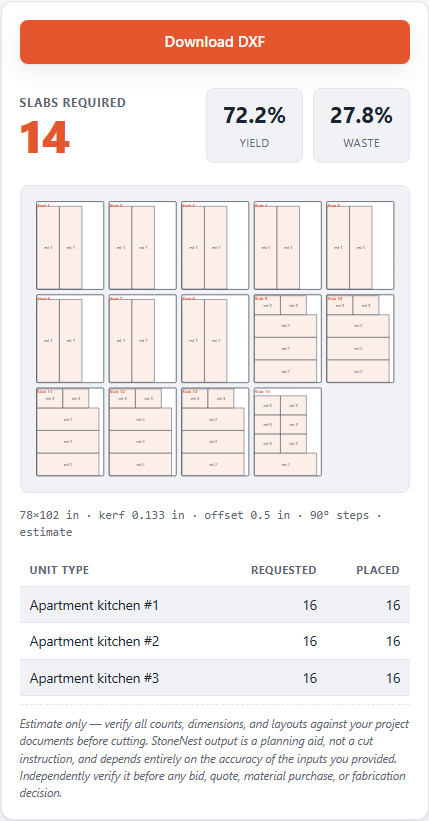
The Ridgeline Flats demo job nested to 132 slabs at 81.6% yield - the slice of the workflow StoneNest is built for.
Side by side
| Slabsmith | StoneNest | |
|---|---|---|
| Scope | Full slab imaging, templating, and layout suite | Nesting, slab count, and cut-safe DXF export |
| Slab photography / real-slab matching | Yes | No |
| Nesting & slab count | Yes, against photographed slabs | Yes, from unit-type DXFs |
| Cut-safe validation | Built into its layout workflow | Independent gate - refuses export on overlap, off-slab placement, or kerf violation |
| AlphaCAM-ready export | Yes | Yes (DXF, R2018) |
| Cost model | Perpetual license: ~$15k-30k system + ~10%/yr maintenance | Subscription: $69/mo Early Adopter (first 25 shops, rate locked), then $99/mo |
| Deployment | On-premise hardware + software | Offline Windows desktop, machine-bound license |
To be direct about it: Slabsmith does real-slab imaging and physical seam matching that StoneNest simply does not do. If that capability is what you're buying software for, StoneNest isn't a substitute for it. What StoneNest replaces is the earlier, cheaper step - getting a trustworthy slab count and yield percentage for a bid - without requiring the imaging hardware or the perpetual-license cost that comes with it. Related reading: why deterministic nesting matters and multifamily countertop estimating.
Which one fits your shop
Matching seams to the vein of a physical slab you've already photographed is a job StoneNest was never designed for — and one that carries a $15,000–$30,000 system cost plus ongoing maintenance whether or not your bids need it. If what's slowing your bids down is simply not knowing how many slabs a countertop job needs until someone eyeballs it, StoneNest's $69–99/mo subscription covers that specific gap - up to 18 unit types, batches of up to 6 slabs, a 0.133″ default kerf and 0.50″ edge offset, both editable, right on your PC. On the Ridgeline Flats demo job - 108 units across 3 unit types - that nested to 132 slabs at 81.6% yield.
Plenty of shops could reasonably use both: Slabsmith for the physical-slab imaging and match layout, StoneNest earlier in the process for a fast, repeatable count to quote from. There's a free Estimator Mode with manual entry if you just want to sanity-check quantities without DXF import or export. To see the DXF workflow itself, try StoneNest free for 7 days, no card required (a separate eval path from any paid seat, which starts billing immediately). Full pricing, including the 30-day refund on your first paid month, is at /pricing/.
FAQ
How much does Slabsmith cost?
Publicly stated figures put a Basic Bundle around $15,000, including first-year maintenance and hardware (two USB keys), with full camera-and-software systems running roughly $15,000-$30,000. After the first year, maintenance runs about 10% of retail per year. It's sold as a perpetual license plus annual maintenance, not a subscription.
Is StoneNest a Slabsmith replacement?
Not for slab photography or physical-slab matching - StoneNest doesn't do either. It's built for the nesting, slab-count, and cut-safe-DXF part of the workflow, sold as a $69-99/mo subscription rather than a perpetual license. If you need real-slab imaging and exact seam matching, that's Slabsmith's job.
Can I use both Slabsmith and StoneNest?
Yes. They solve different problems - Slabsmith handles slab photography, templating, and physical-slab seam matching; StoneNest handles turning unit-type DXFs into a validated slab count, yield percentage, and AlphaCAM-ready DXF before or alongside that process. Nothing about using one prevents using the other.
Is there a cheaper alternative to Slabsmith?
Only for part of what it does. Slab photography and physical seam matching are Slabsmith's territory, and no low-cost tool substitutes for them. If the part you actually need is upstream of that - a trustworthy slab count, yield percentage, and a cut-safe AlphaCAM-ready DXF to bid and cut from - StoneNest covers that specific slice as a monthly subscription, and the free web estimator at /try/ shows the workflow before any payment.
Related guides
Nesting Software Comparison
A plain, side-by-side look at four real nesting options — what each one costs, what it actually does, and why the bidding-and-cutting slice of the job is the one StoneNest was built to own.
ComparisonStoneNest vs. Deepnest
An honest side-by-side: Deepnest's free general-purpose nesting versus StoneNest's countertop-specific slab count, kerf and edge-offset modeling, validator gate, and AlphaCAM-ready export.
Slab yieldSlab Yield Explained
What the yield percentage on a nested layout actually measures, and what a good number looks like on a real job.
See what your own job nests to
Try the free web estimator with your own unit counts, or start the 7-day free trial for full DXF import, export, and the validator gate.