Last updated
StoneNest as a Deepnest alternative for countertop shops
Deepnest is a free, open-source nester for general SVG and DXF work; StoneNest is purpose-built for countertop slabs — and if you're bidding stone, that difference is the whole story. Both place shapes onto a working area; only one of them knows what a slab is. Deepnest nests arbitrary shapes for laser cutting, CNC routing, and other maker and fabrication work — a job where kerf clearance, slab edge offset, and a defensible slab count never come up. StoneNest does one job end to end: turn countertop unit-type DXFs into a slab count and yield %, modeling kerf and slab edge offset as first-class inputs, then blocking export unless an independent validator confirms zero overlaps, off-slab placements, or kerf violations, before handing off an AlphaCAM-ready DXF. A general-purpose nester leaves every one of those countertop-specific steps for you to handle by hand — and those steps are exactly the ones a bid stands or falls on.
Two different jobs
Deepnest is a free, open-source nesting tool for SVG and DXF shapes, used mostly in the laser-cutting, CNC, and maker world. It packs arbitrary parts onto a working area, and for non-stone work that's the entire job. What it doesn't have — because its users don't need it — is any concept of a slab: no kerf modeling, no slab edge offset, no conservative slab count, no validation gate between the layout and the saw.
StoneNest starts from the countertop brief: nest unit-type DXFs — islands, counters, splash strips — into a slab count and yield % you can actually bid from, with kerf and slab edge offset built in as first-class inputs rather than something you account for separately afterward. On our own published demo job, that specificity showed up as a real, checked number.
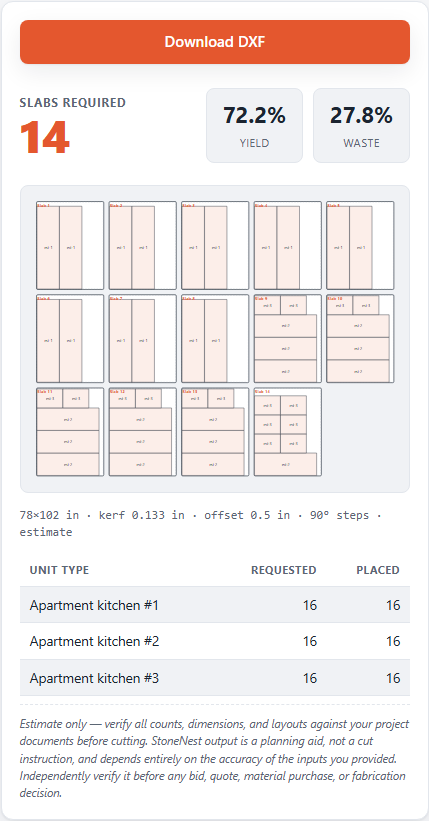
The results panel on the Ridgeline Flats demo job: 132 slabs for 108 units across 3 unit types, 81.6% yield.
Deepnest vs. StoneNest, side by side
| Deepnest | StoneNest | |
|---|---|---|
| Built for | General SVG/DXF nesting | Countertop slab nesting |
| Cost | Free, open source | Subscription — $69/mo Early Adopter (first 25 shops), then $99/mo Full |
| Runs offline | Yes, on your own machine | Yes — your job files never leave your machine |
| Cut-safe validation | Not built in | Independent validator blocks export on any overlap, off-slab placement, or kerf violation |
| Kerf & edge offset modeling | Not specific to stone fabrication | 0.133″ default kerf, 0.50″ default edge offset, both editable |
| AlphaCAM-ready export | Not targeted at AlphaCAM or stone workflows | AlphaCAM-ready DXF (R2018) export |
Deepnest's true-shape nesting engine is general-purpose by design — it doesn't know what a slab edge, a kerf setting, or an AlphaCAM export target is, because serving any shape in any material is the whole point of the tool. That's not a shortcoming; it's a different job. StoneNest exists for the countertop-specific layer on top of general nesting: deterministic output run to run, and a layout that's checked before it's allowed to export.
Where StoneNest specializes
Everything below is scoped to one job — countertop fabrication — rather than general nesting:
- Kerf (0.133″ default) and slab edge offset (0.50″ default), both editable and both subtracted from usable slab area before a piece is placed.
- Up to 18 unit types per job and a ≤6-slab batch window, matching how a countertop shop actually cuts.
- An independent validator gate that refuses to export a DXF with any overlap, off-slab placement, or kerf violation.
- A machine-bound license and on-your-machine processing — your job files never leave your shop.
See how a DXF becomes a slab count for the mechanical path, or how many slabs a job needs for what actually drives the number.
Try it yourself: the free web estimator needs no install and nothing uploaded, or start a full 7-day free trial of the desktop app — no card required.
The bottom line for a stone shop
A general-purpose nester can pack shapes; it can't tell you the number your bid depends on. Getting from a packed layout to a bid still means accounting for kerf and edge offset by hand, checking every placement yourself, and hoping nothing slipped — and a single missed overlap costs more than a year of software. If you're quoting and cutting countertop slabs, StoneNest does that whole chain — kerf, edge offset, conservative slab count, and an independent validator that refuses to export anything unsafe — as the product itself, not as your manual cleanup step.
FAQ
Is Deepnest good enough for countertop nesting?
Deepnest can nest true shapes well and it's free, but it doesn't model kerf or slab edge offset, doesn't run an independent validator against overlaps or off-slab placement, and doesn't produce an AlphaCAM-ready countertop DXF — gaps that matter once you're bidding and cutting real slabs.
Is StoneNest free like Deepnest?
No. StoneNest is subscription software — $69/mo Early Adopter rate for the first 25 shops, then $99/mo Full — not free like Deepnest. There's a 7-day full free trial with no card required, a free Estimator Mode with no DXF import or export, and a free web tool at /try/ if you want a slab count before paying for anything.
What's the best Deepnest alternative for a stone countertop shop?
It depends on which part of the job needs replacing. If the gap is countertop-specific — kerf and slab edge offset modeled up front, a conservative slab count you can bid from, a validator that blocks unsafe layouts, and an AlphaCAM-ready DXF at the end — StoneNest is built for exactly that slice, and you can check the fit in the browser at /try/ before installing anything. If you need general-purpose nesting for non-slab work, that's a different job, and Deepnest still covers it.
Can Deepnest nest stone slabs?
Mechanically, yes — it packs DXF shapes onto a working area of any size, including slab dimensions. What it doesn't carry is the countertop layer: no kerf or slab edge offset as inputs, no conservative slab count for bidding, and no validation gate between the layout and the saw. Those steps stay manual, which is workable for one-off pieces and hard to defend across a multifamily bid.
Related guides
Nesting Software Comparison
A plain, side-by-side look at four real nesting options — what each one costs, what it actually does, and why the bidding-and-cutting slice of the job is the one StoneNest was built to own.
ComparisonSlabsmith Alternative
An honest look at what Slabsmith does and costs, and where StoneNest's narrower nesting-and-cut-safe-DXF slice fits instead.
Slab countHow Many Slabs Do You Need?
Why slab count isn't a flat square-footage ratio, and what actually drives the number on a real multifamily job.
See what your own job nests to
Try the free web estimator with your own unit counts, or start the 7-day free trial for full DXF import, export, and the validator gate.